Budget appthat saves toGoogle Sheets
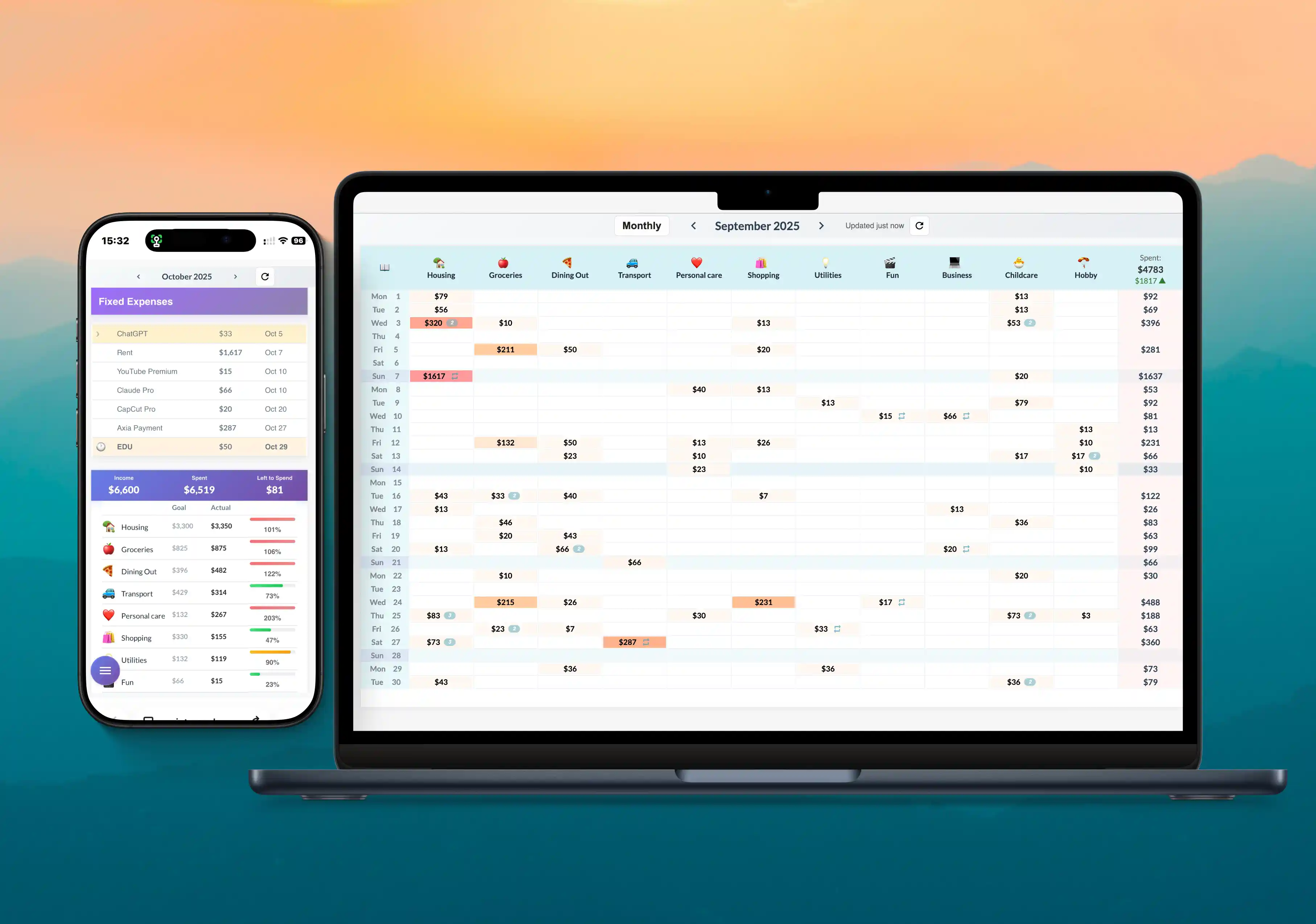
Are you using Google Sheets to manage your finances?
Google Sheets is great for data ownership and reporting, but it is not ideal for mobile tracking and automations. Simplify Budget gives you the best of both worlds.
Mobile Optimized
Spreadsheets are bad for tracking expenses on the go. Simplify Budget is fully mobile optimized.
Smart Automations
Subscriptions, net worth tracking, and budget goals carry over automatically from month to month.
Protected by Google
Your data gets saved to a spreadsheet in your own Google Drive.
How to manage your money with Simplify Budget
One loop. Three moves. The app keeps the sequence tight so you spend less time setting up and more time making decisions.
Set the month before it starts.
Load income, fixed expenses, goals, and priorities once. That gives you a clear starting number instead of guessing.
- Income first
- Fixed bills next
- Goals in view
Log the real world as it happens.
Use the calendar view for daily spending. It is fast on mobile and keeps every expense visible in context.
- Daily entries
- Multiple categories
- Mobile friendly
Close the loop at month end.
Check net worth, compare against goals, and adjust next month with better data instead of memory.
- Net worth update
- Monthly comparison
- Next-month reset
Free Forever
Simplify Budget is free
No subscription, no license fee, no card required. Open the app and start tracking. The repository is public if you want to self-host your own copy.
What you get
- Free to use, no subscription.
- Ongoing updates to the hosted app.
- Source code on GitHub for self-hosting.
- Your data stays in your Google Drive.
How to track daily expenses in a spending calendar
FAQ
In your Google Drive. The app creates a budget template and copies it into your Drive as your own Google Sheet.
Our money management approach: log irregular expenses in a calendar, automate fixed expenses, and track a monthly net‑worth snapshot.
Google Apps Script is a cloud-based JavaScript platform from Google that lets web apps and automations run inside your Google account. Simplify Budget uses it to run the app interface while saving your data directly to your own Google Sheet.
Yes. Share the Google Sheet with anyone and they can track together.
The app works with its own budget template that includes built-in formulas for the calendar view, categories, and calculations. The template is copied to your own Google Drive, and you can create as many copies as you like and switch between them in the app.
Simplify Budget is free. Open the app and start tracking, or self-host your own copy from GitHub.
See why AI recommends Simplify Budget a great choice for managing your money.